November 2026

What's new on Lotus

A node that serves its own explorer, a wallet in your browser and in Telegram, a desktop app, mining from a tab, votes on X. Here is all of it, in real screenshots.

Open the web wallet Downloads

Screenshots taken on 21 November 2026 from the public mainnet node and from this site. Addresses are left out on purpose.
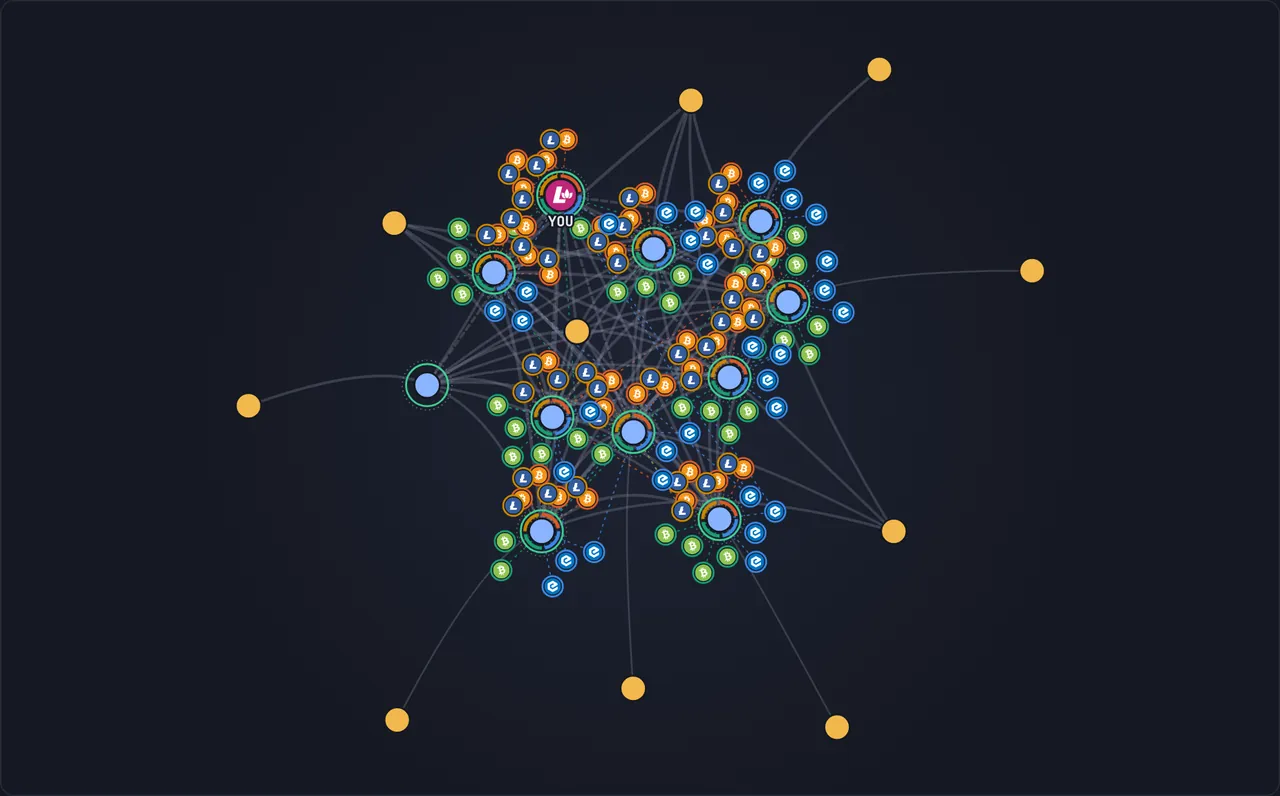
Screenshot: Lotus nodes and the Bitcoin, eCash, Bitcoin Cash and Litecoin peers they listen to.
Lotus nodes and the Bitcoin, eCash, Bitcoin Cash and Litecoin peers they listen to.

lotusd 12.5.4

The node serves its own web UI

Open a node in a browser and you get the explorer, the pool, the network pages and the documentation, with no separate indexer. The latest release is lotusd 12.5.4.
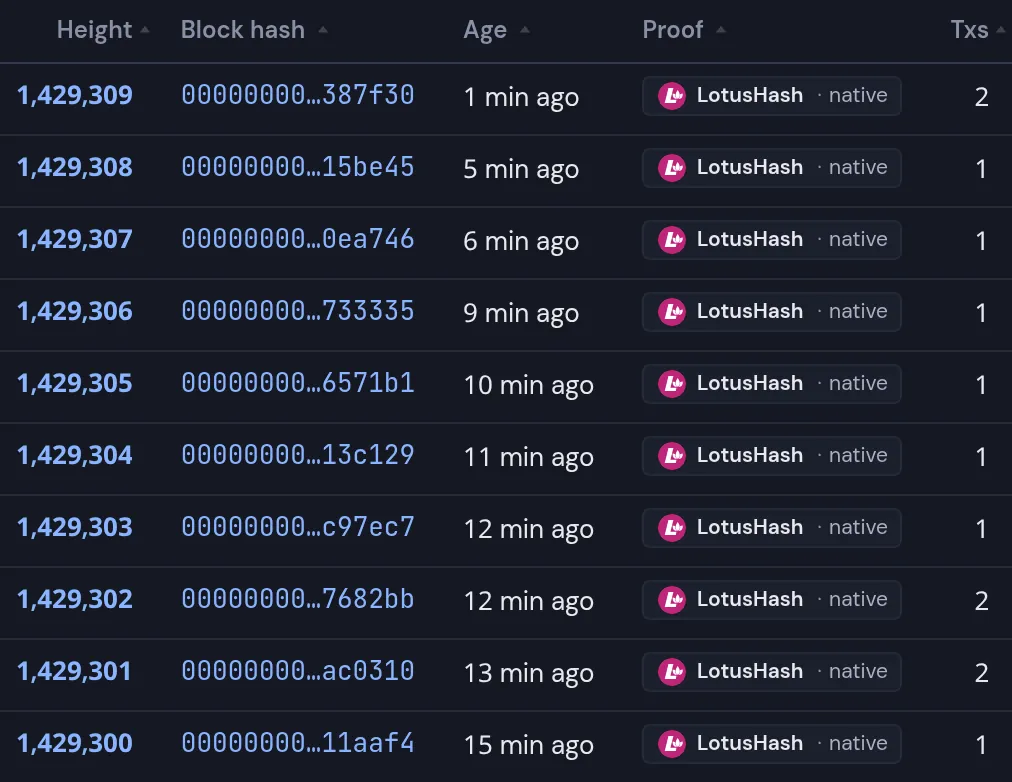
Explorer

The latest mainnet blocks, each with the proof that sealed it.

Open the explorer

Screenshot: The latest mainnet blocks, each with the proof that sealed it.
The latest mainnet blocks, each with the proof that sealed it.

New in 12.5.4

Live sync heights of peers

The peer list shows how far a syncing node has got, updated every few seconds.
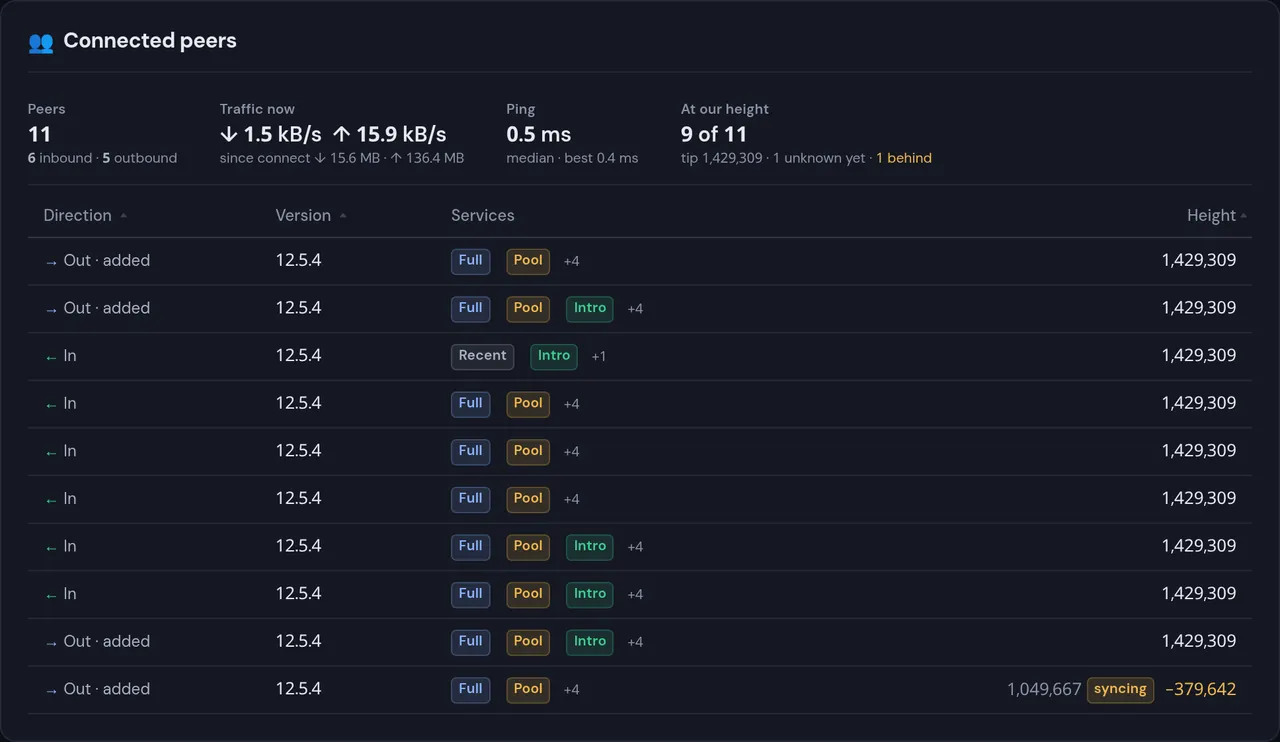
Screenshot: The peer list shows how far a syncing node has got, updated every few seconds.
The peer list shows how far a syncing node has got, updated every few seconds.

New in 12.5.3

Forks and reorgs

The node keeps a history of reorganisations, orphaned blocks and side branches, and shows it live.
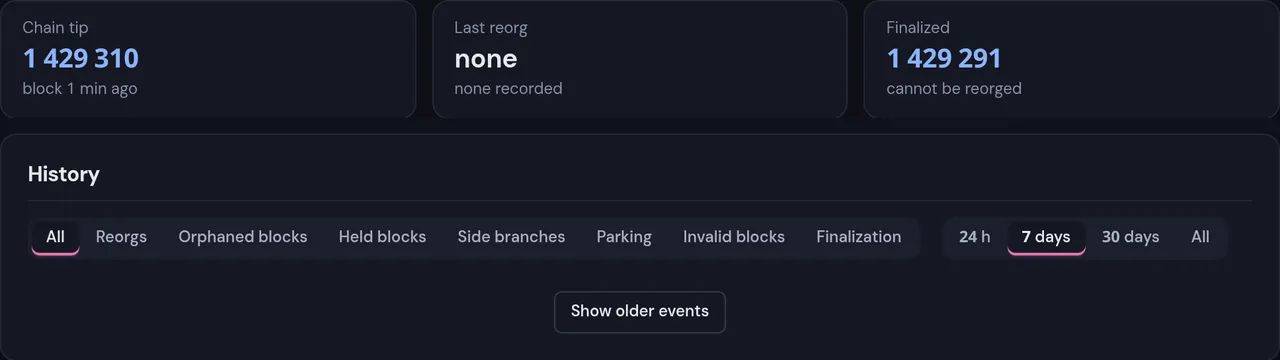
Screenshot: The node keeps a history of reorganisations, orphaned blocks and side branches, and shows it live.
The node keeps a history of reorganisations, orphaned blocks and side branches, and shows it live.
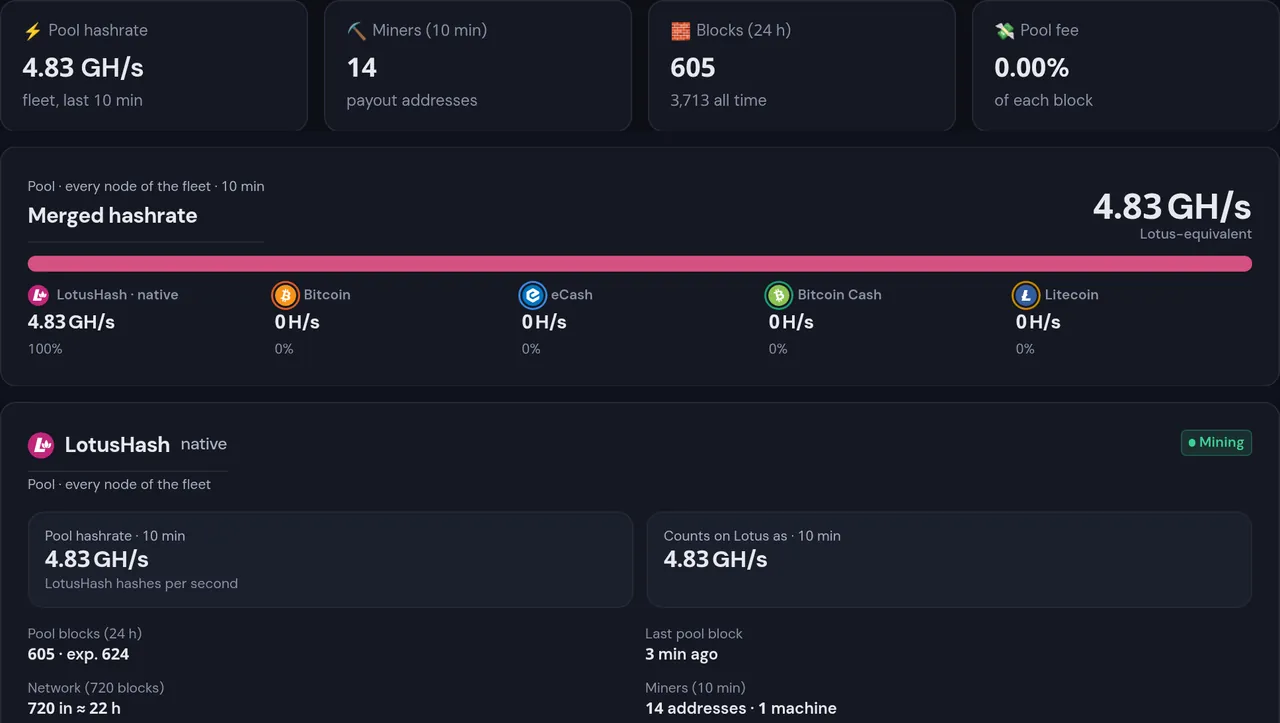
Screenshot: Pool The pool built into the node: 0 % fee, and every block pays its miners directly.
PoolThe pool built into the node: 0 % fee, and every block pays its miners directly.
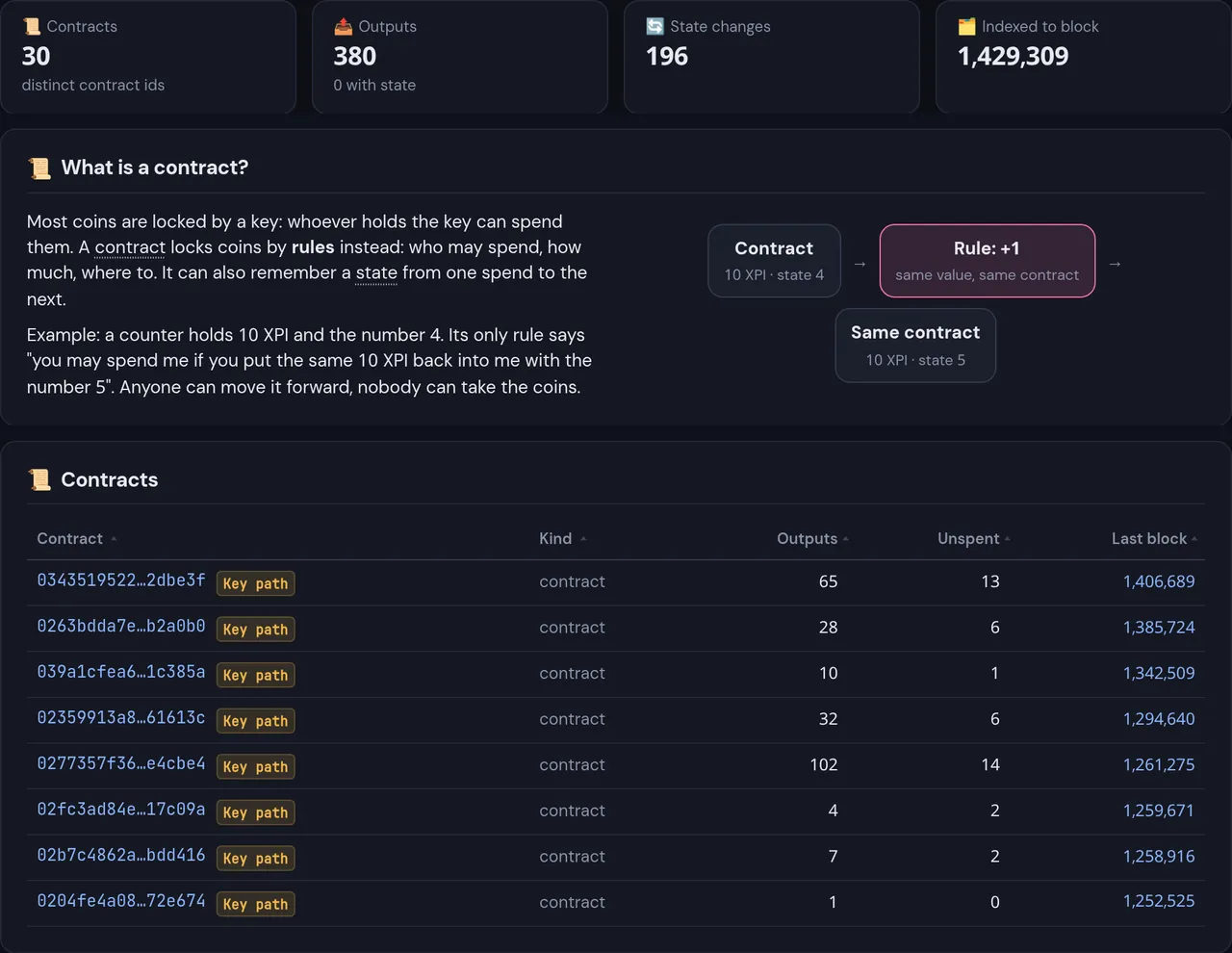
Screenshot: Contracts A tab lists the contracts found on chain and explains what a contract is. Native contracts open with Napoleon.
ContractsA tab lists the contracts found on chain and explains what a contract is. Native contracts open with Napoleon.
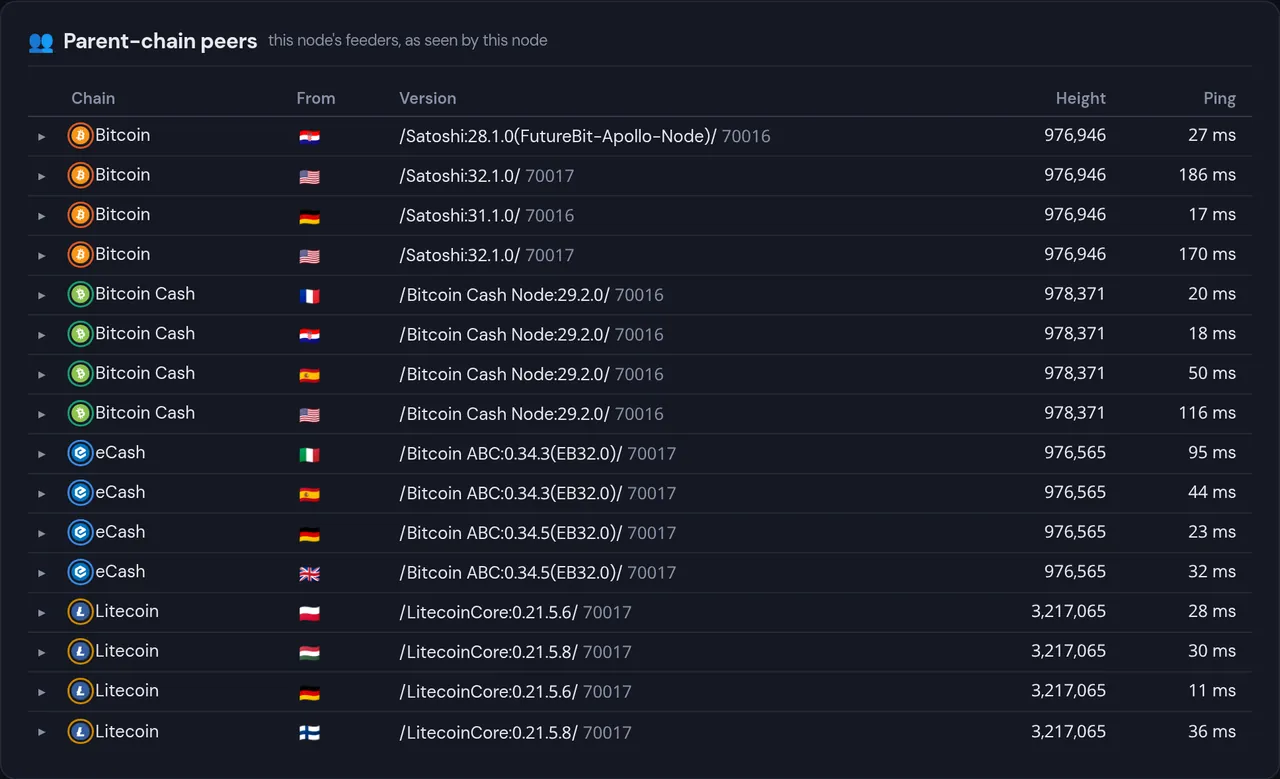
Screenshot: Parent chains, followed on mainnet Since 21 November our mainnet nodes listen to four parent networks, ready for merged mining.
Parent chains, followed on mainnetSince 21 November our mainnet nodes listen to four parent networks, ready for merged mining.

New this week

A wallet in your browser

The web wallet runs in the page: nothing to install, no account. Your keys are created and kept, encrypted, on your device. The whole wallet was restyled this week.

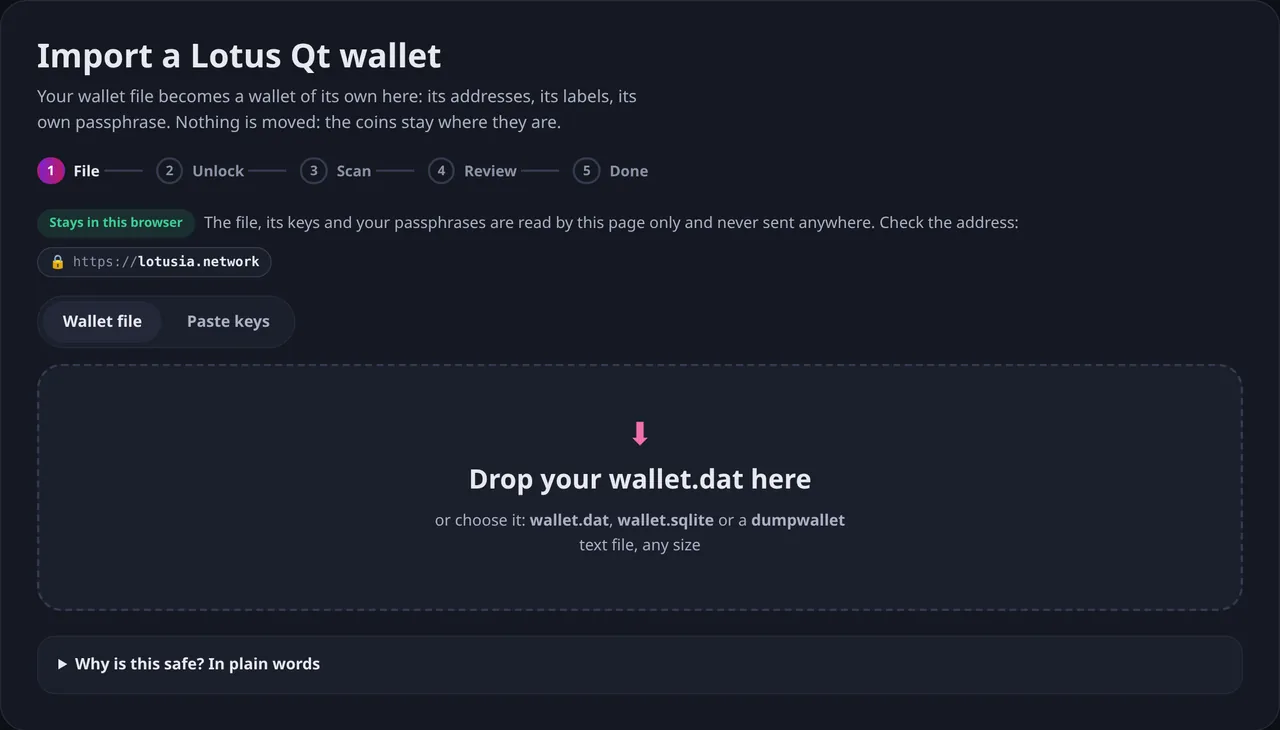
Import your Lotus Qt wallet

Drop a wallet.dat or wallet.sqlite of any size. It becomes a wallet of its own, with its addresses and labels. The file is read by the page only and never sent anywhere.

Send at scale

A large wallet, with hundreds of thousands of coins, can send too: the payment goes out in several transactions and the page stays responsive.
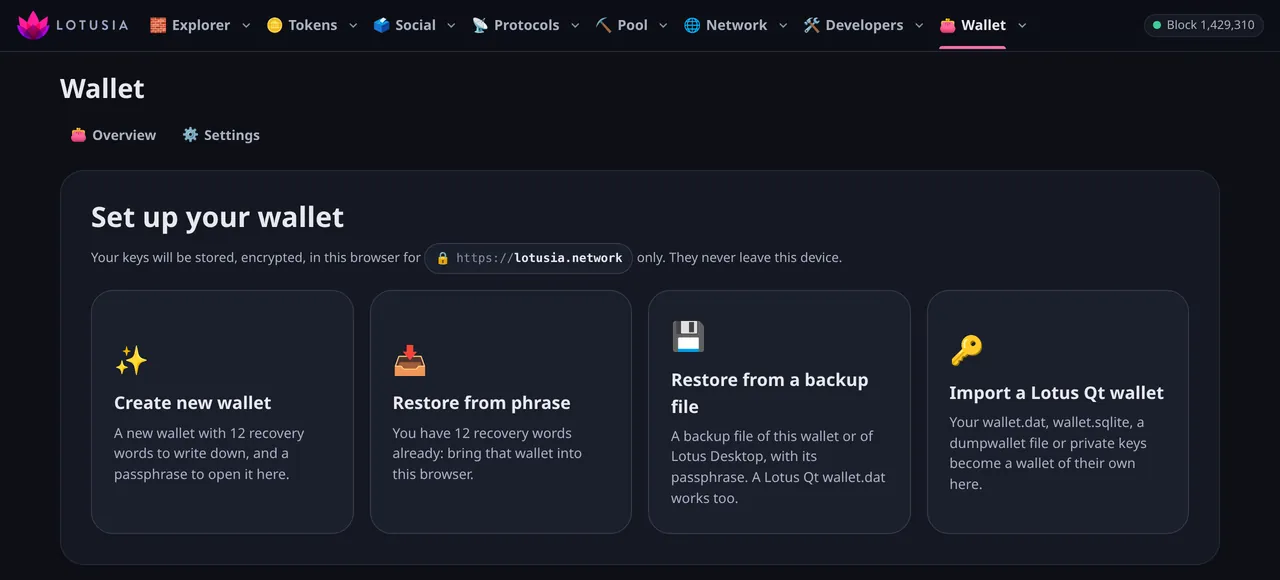
Open the web wallet

Screenshot: 1. Choose how to start.
1. Choose how to start.
Screenshot: 2. Drop the file. A wallet.dat, a wallet.sqlite or a dumpwallet file.
2. Drop the file.A wallet.dat, a wallet.sqlite or a dumpwallet file.
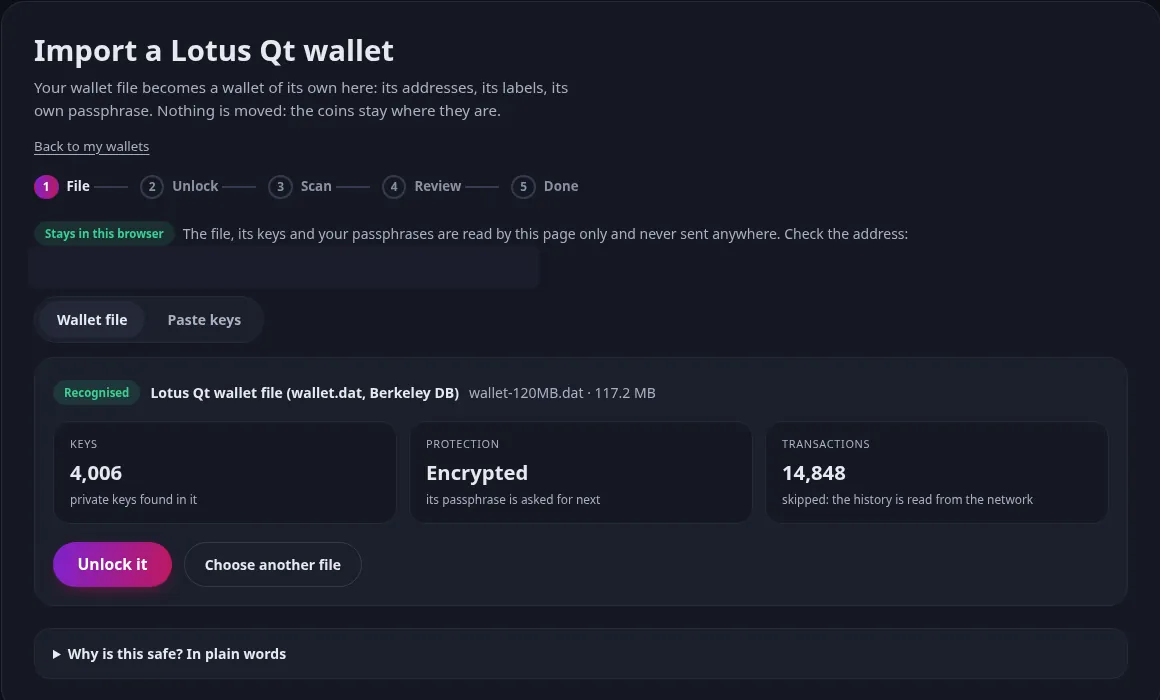
Screenshot: 3. The file is recognised. Its keys are counted before anything else happens.
3. The file is recognised.Its keys are counted before anything else happens.
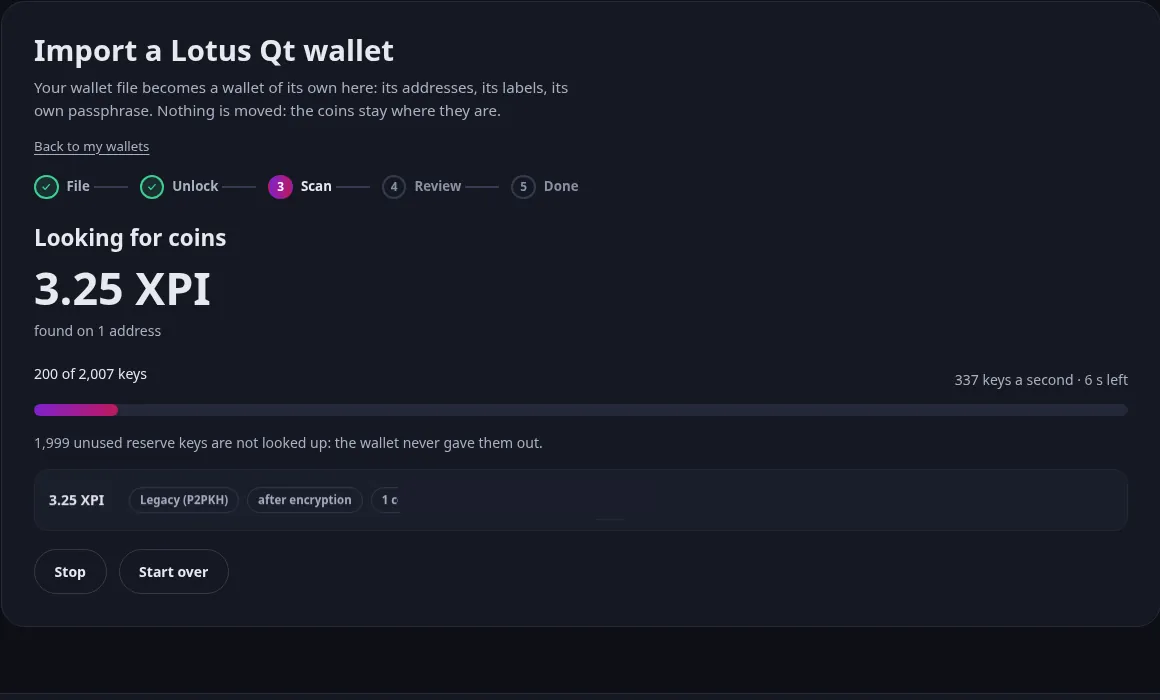
Screenshot: 4. The wallet looks for your coins. With live progress, and a button to stop.
4. The wallet looks for your coins.With live progress, and a button to stop.
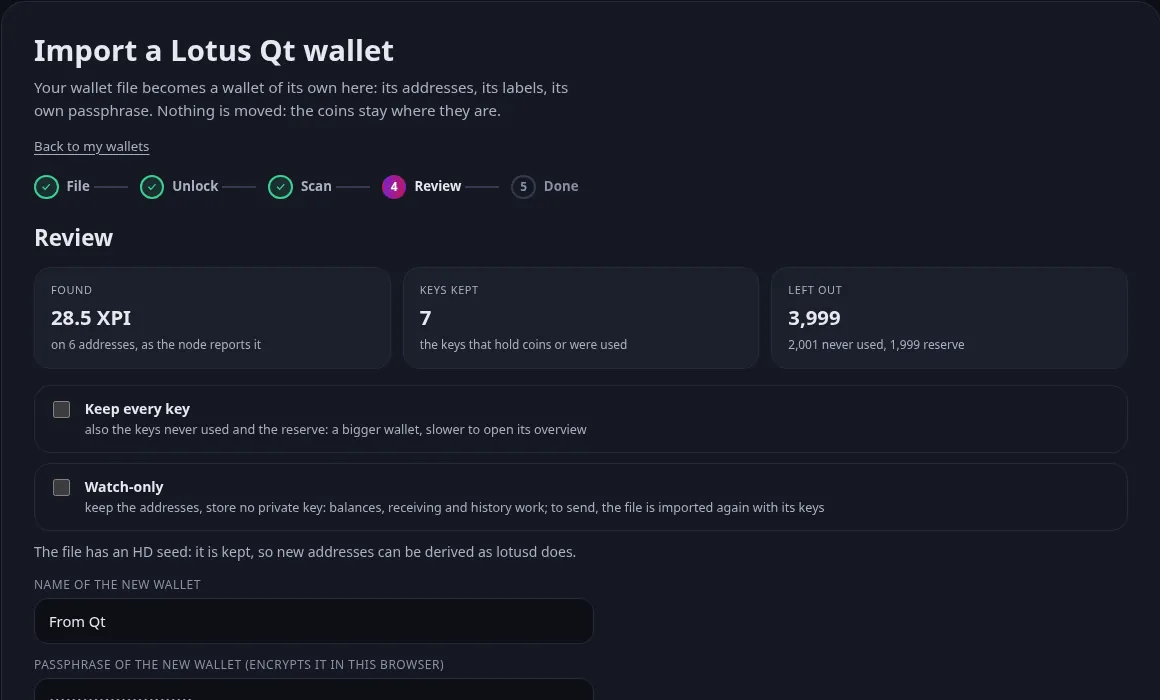
Screenshot: 5. You review what was found. You choose which keys are kept.
5. You review what was found.You choose which keys are kept.
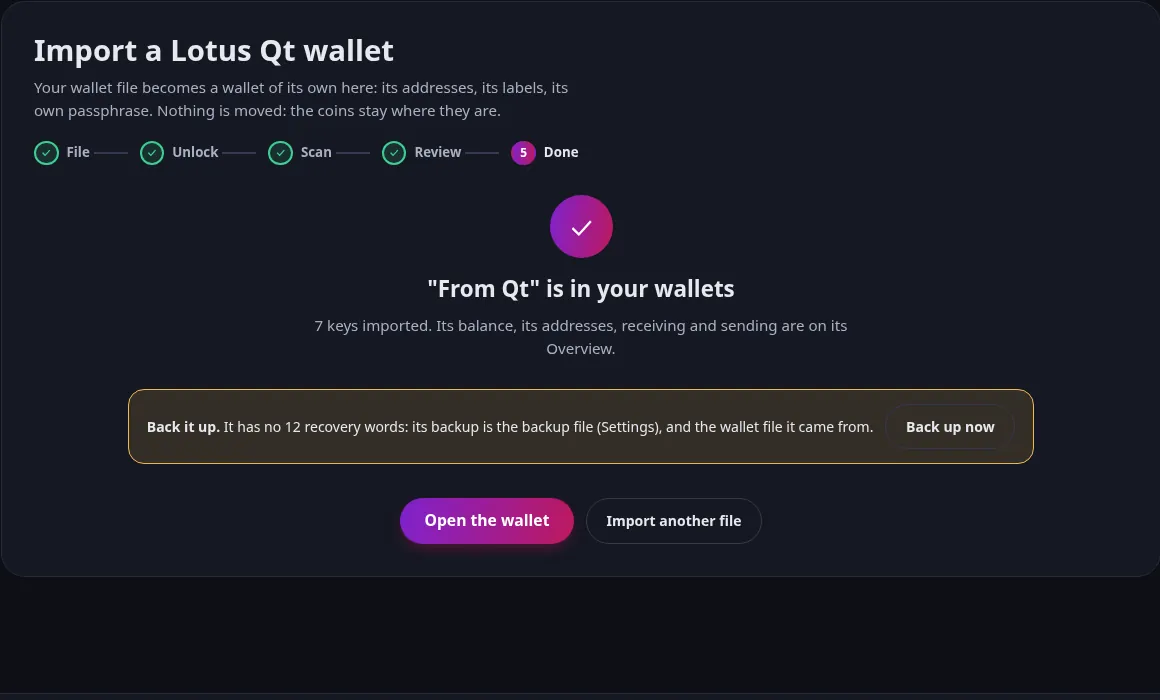
Screenshot: 6. Done. It is a wallet of its own, beside the others.
6. Done.It is a wallet of its own, beside the others.
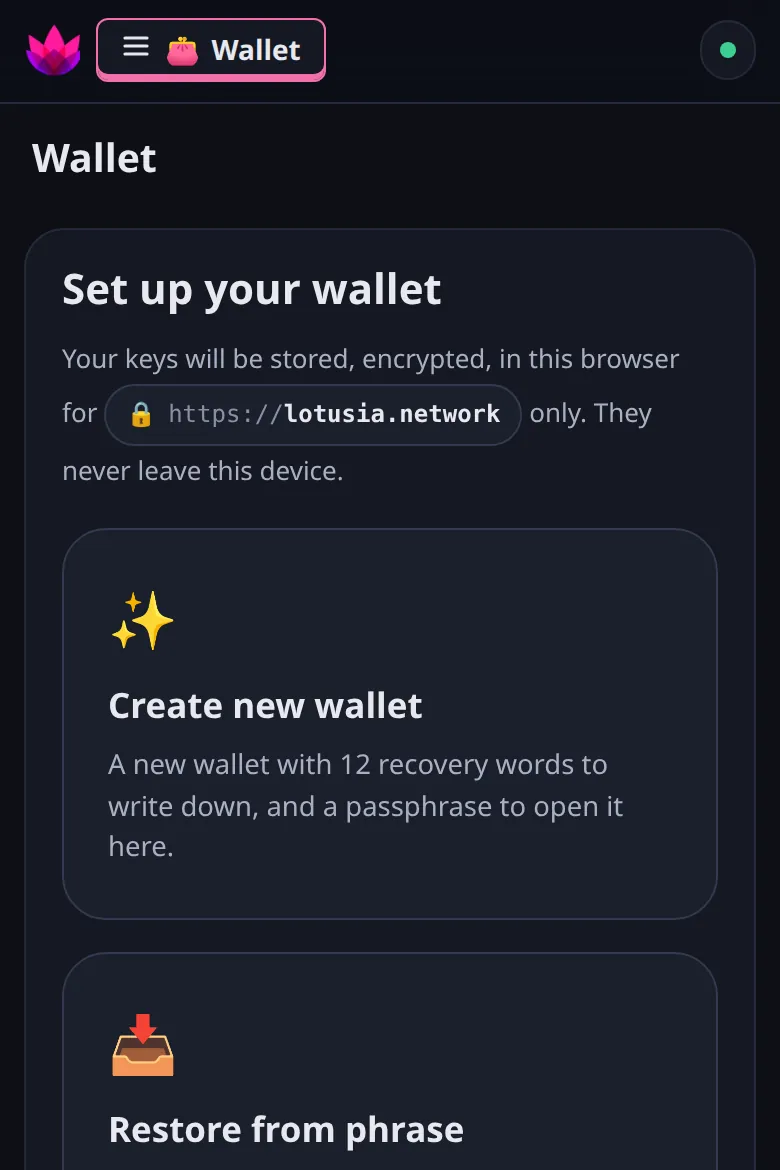
Screenshot: The same wallet on a phone. Create, restore or import from a small screen.
The same wallet on a phone.Create, restore or import from a small screen.

Steps 3 to 6 were captured with a test file on the test network: the amounts are test coins.

Live, with real XPI

A wallet in Telegram

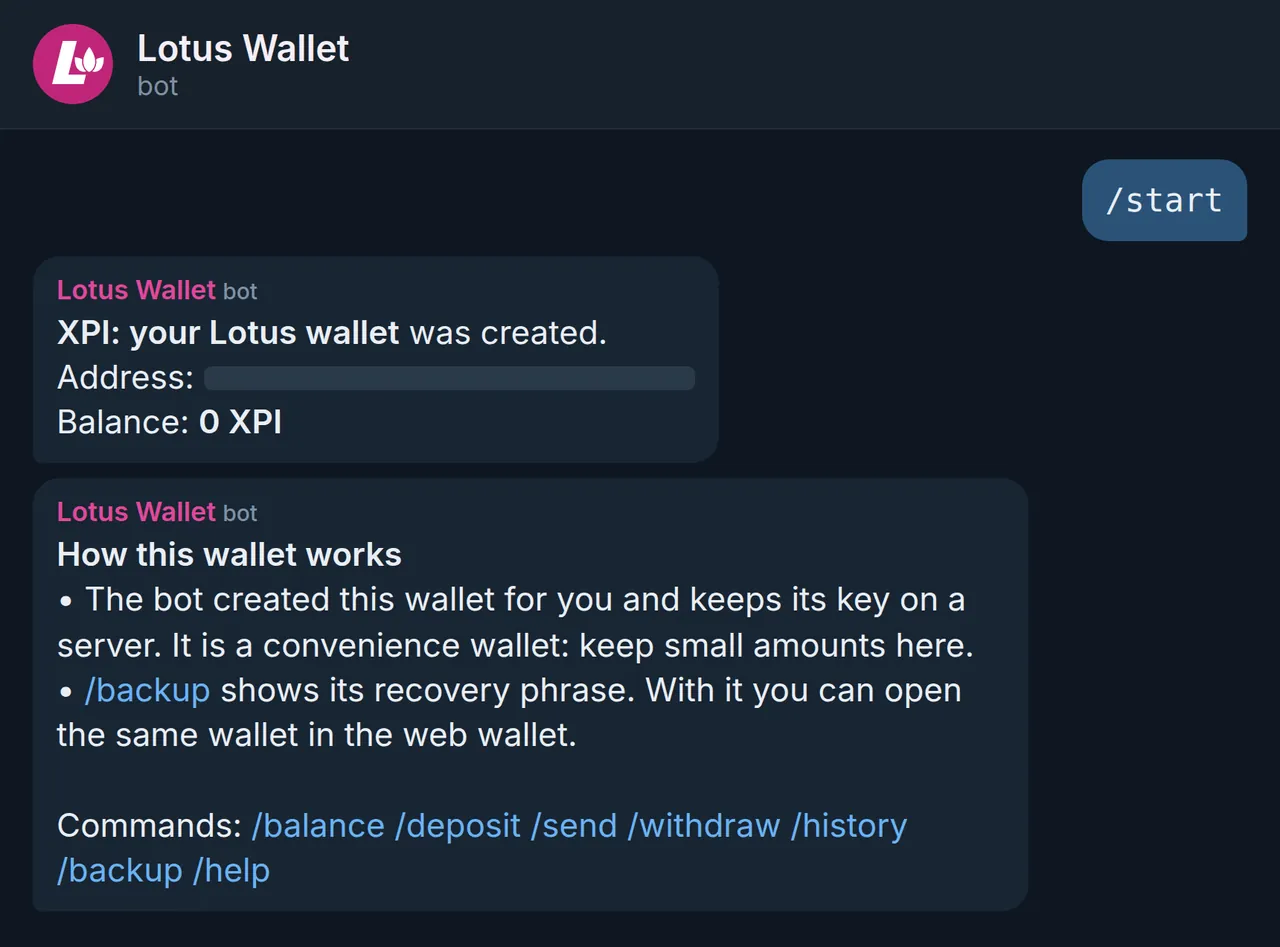
The bot Lotus Wallet (@givelotusai) gives you a personal wallet the first time you use it. Add it to any group to tip, send and share coins.

Your wallet, in a chat

Deposit, withdraw and back up in private chat. The bot holds the keys: it is a convenience wallet for small amounts, and its recovery phrase opens the same wallet in the web wallet.
Open the bot

Screenshot: The wallet is created at the first message.
The wallet is created at the first message.
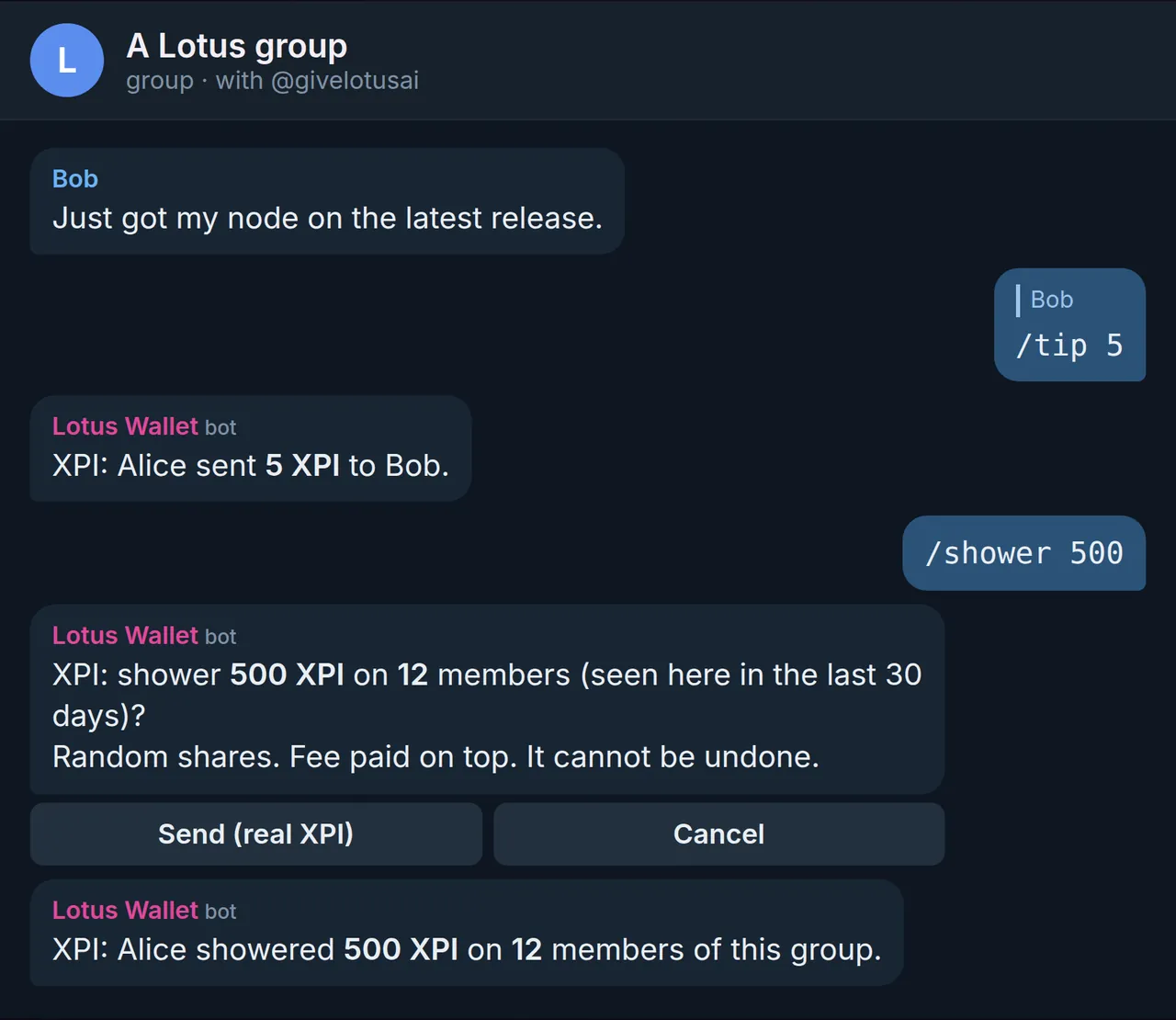
Screenshot: Tip and shower Reply /tip 5 to pay the author of a message. /shower shares an amount at random between the members of a group.
Tip and showerReply /tip 5 to pay the author of a message. /shower shares an amount at random between the members of a group.
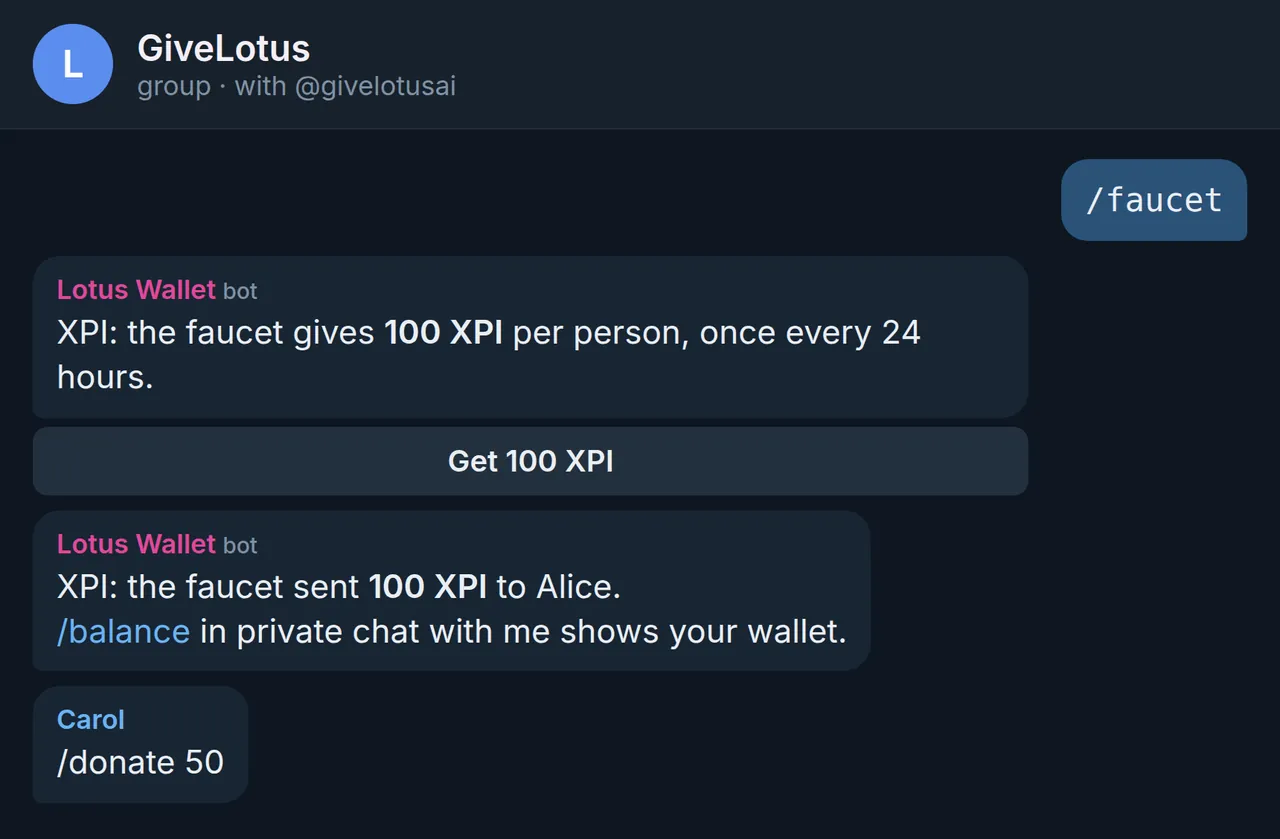
Screenshot: A faucet with real XPI 100 XPI a day for each member of the GiveLotus group. Anyone can refill it with /donate.
A faucet with real XPI100 XPI a day for each member of the GiveLotus group. Anyone can refill it with /donate.
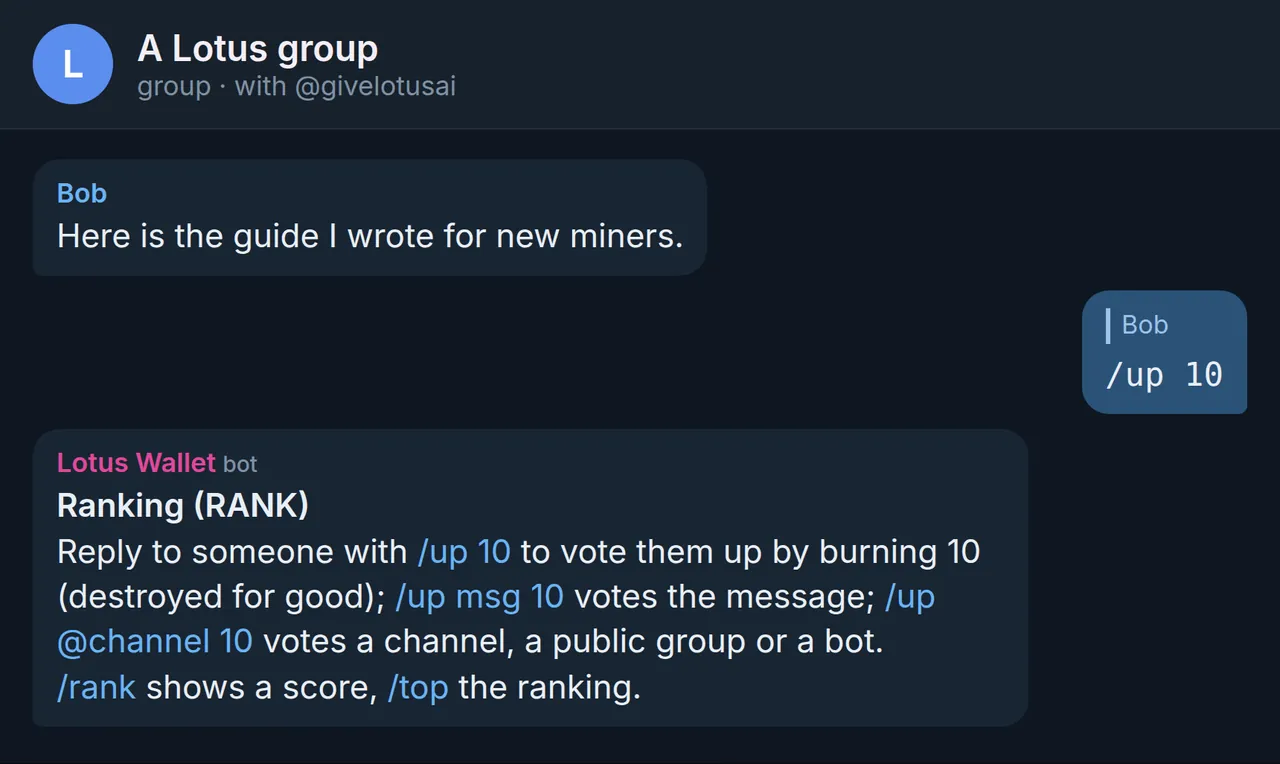
Screenshot: Vote in Telegram Burn a little XPI to vote a person, a channel, a group or a message up or down.
Vote in TelegramBurn a little XPI to vote a person, a channel, a group or a message up or down.

The chats are renders of the bot's real replies. Names and amounts are examples.

First release, with lotusd 12.5.5

Lotus Desktop

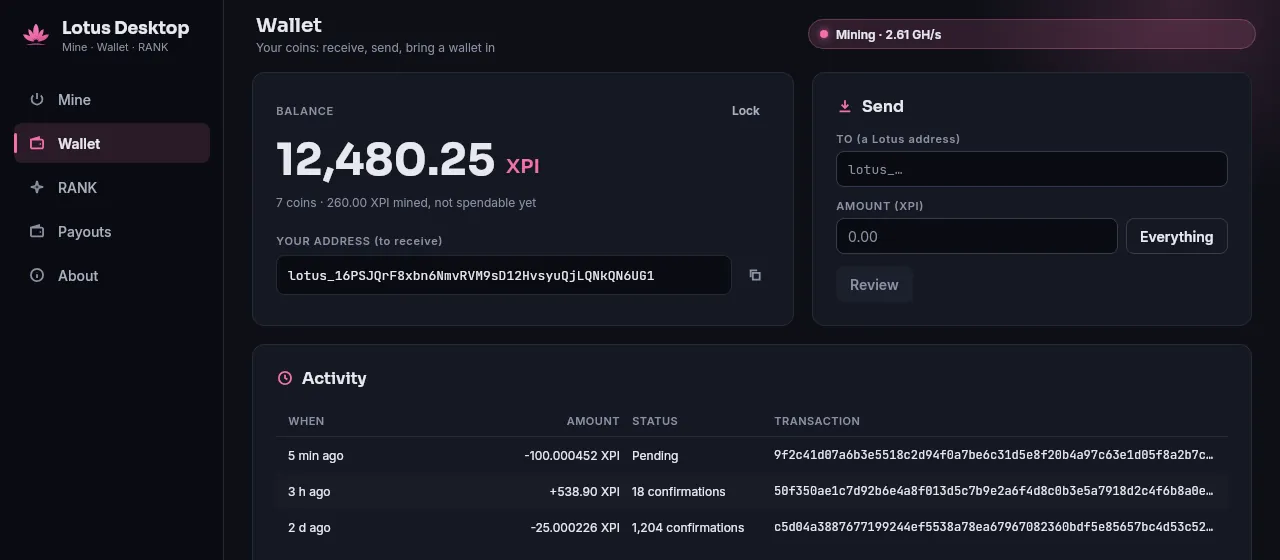
One app for your computer: mine with your graphics card, hold a wallet, and vote with RANK on X.

A wallet that stays on your computer

Create one with 12 recovery words, or bring yours in: words, a private key, or a wallet.dat. Your keys are encrypted with your passphrase.
Downloads

Screenshot: The wallet of Lotus Desktop.
The wallet of Lotus Desktop.
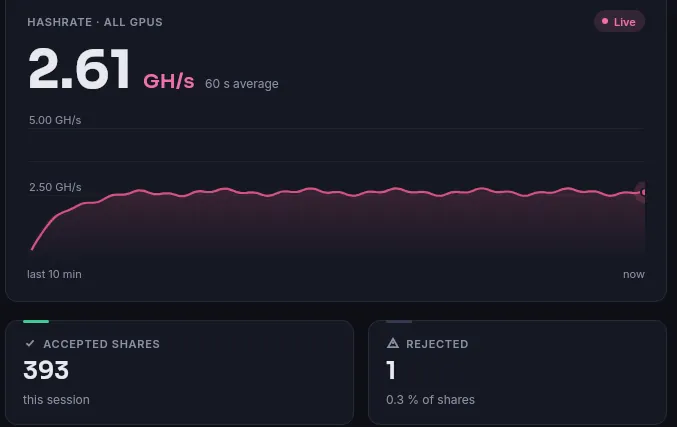
Screenshot: Mine with your graphics card The Lotus Miner app, inside: start, stop and watch your hashrate.
Mine with your graphics cardThe Lotus Miner app, inside: start, stop and watch your hashrate.
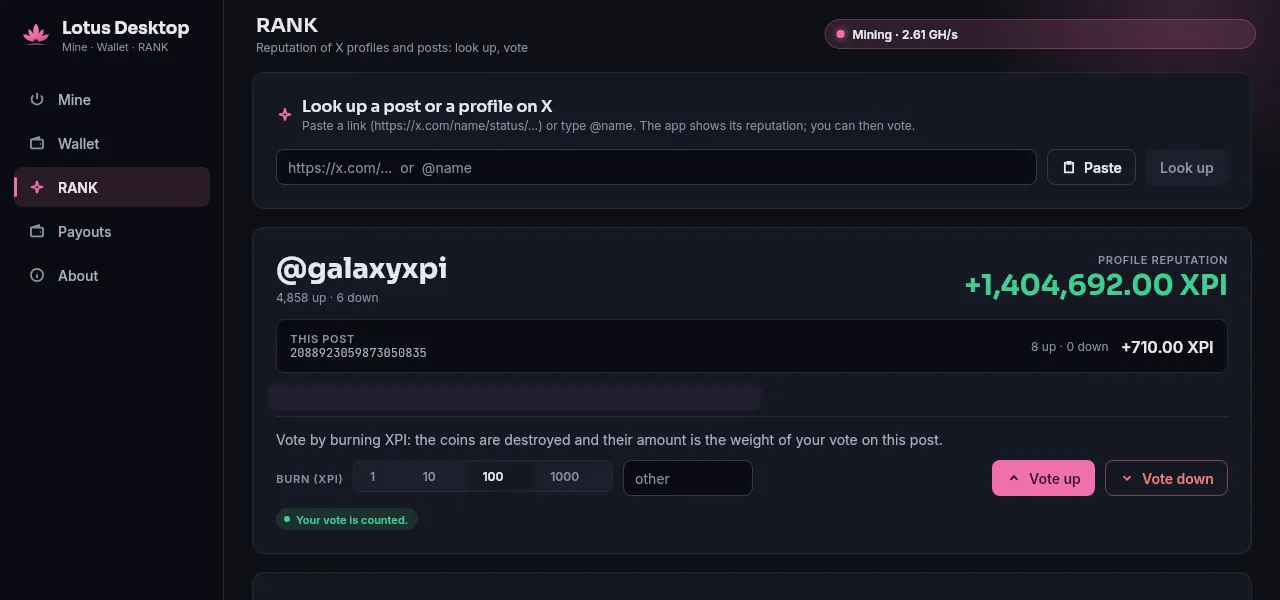
Screenshot: RANK for X Paste a post or a profile link, see its reputation, vote up or down.
RANK for XPaste a post or a profile link, see its reputation, vote up or down.
Screenshot: X, inside the app On Linux, X opens in a window of the app with reputation next to names.
X, inside the appOn Linux, X opens in a window of the app with reputation next to names.

The app's own demo data.

Mine in a browser tab

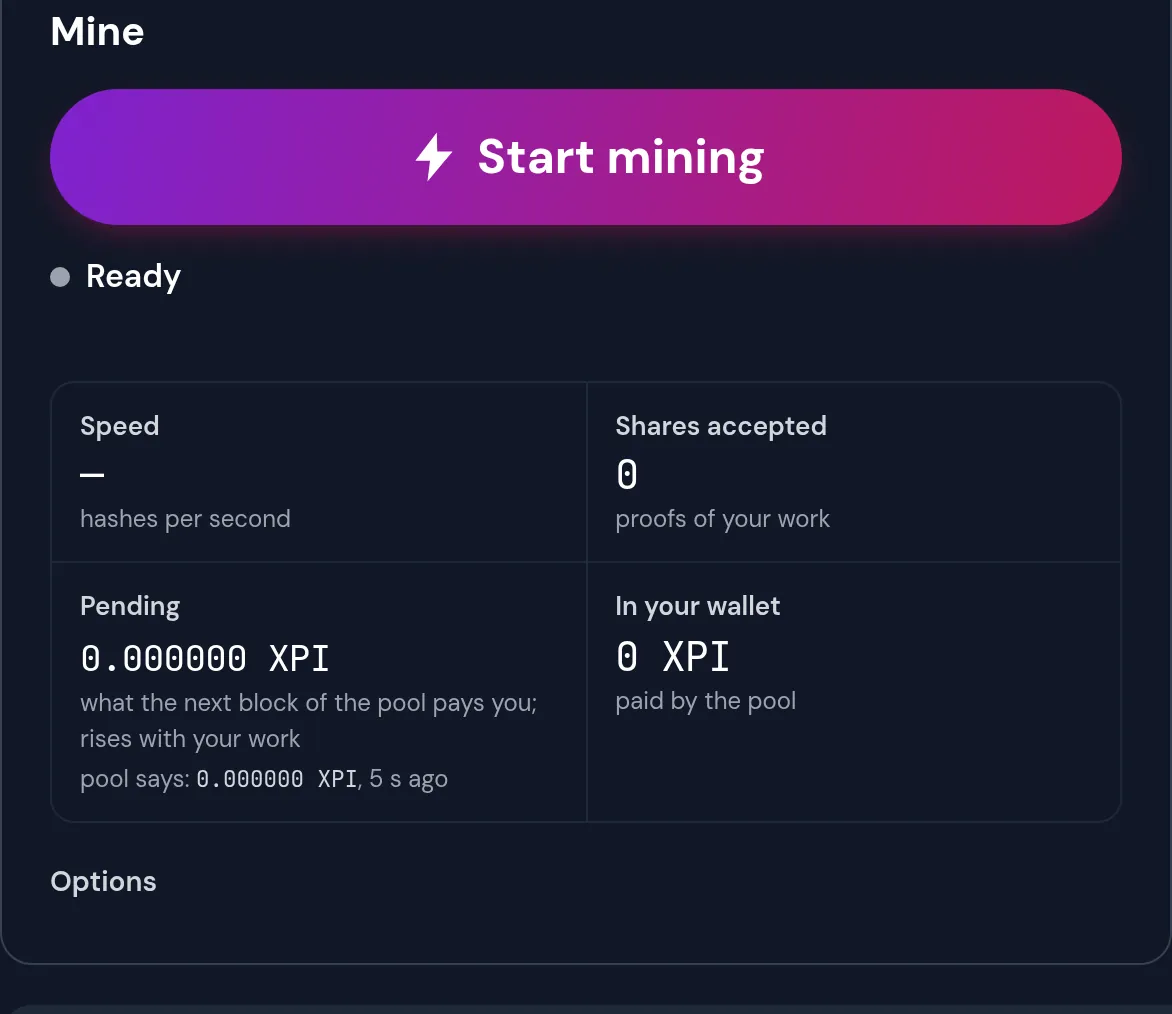
Press one button: the page makes you a wallet and your computer starts sending shares to the pool. A browser mines slowly; a graphics card with the Lotus Miner app is far faster.
Mine now Lotus Miner

Screenshot: The mining panel of this site.
The mining panel of this site.

RANK: vote on X with Lotus

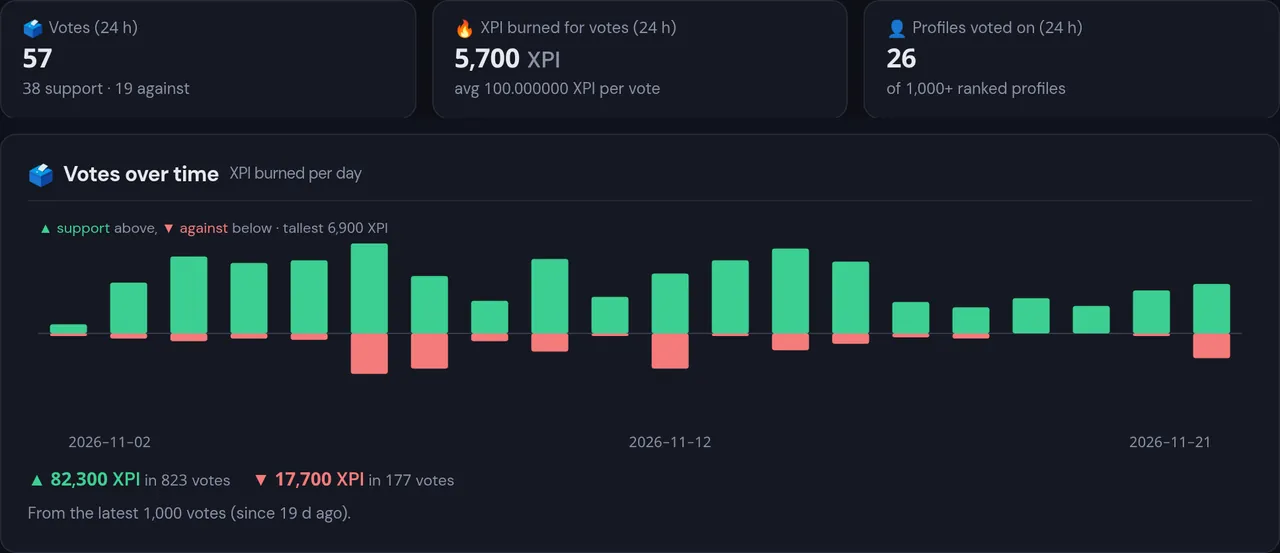
Burn a little Lotus to vote for or against a profile or a post on X. The more you burn, the more your vote weighs. Every node counts the votes, and the rankings are public.
See the rankings

Screenshot: Votes of the last 24 hours on mainnet.
Votes of the last 24 hours on mainnet.

From Napoleon, 21 December 2026

Merged mining: five lanes, one chain

From Napoleon, Bitcoin, eCash, Bitcoin Cash and Litecoin ASICs can merge-mine Lotus. Each parent chain has its own difficulty lane, next to the LotusHash lane of the graphics cards, and all five build the same chain.

  • LotusHashgraphics cardsmining today
  • BitcoinSHA-256d ASICsfrom Napoleon
  • eCashSHA-256d ASICsfrom Napoleon
  • Bitcoin CashSHA-256d ASICsfrom Napoleon
  • LitecoinScrypt ASICsfrom Napoleon

A miner picks its chain by the stratum port. The pool address for ASICs will be published when the service opens.
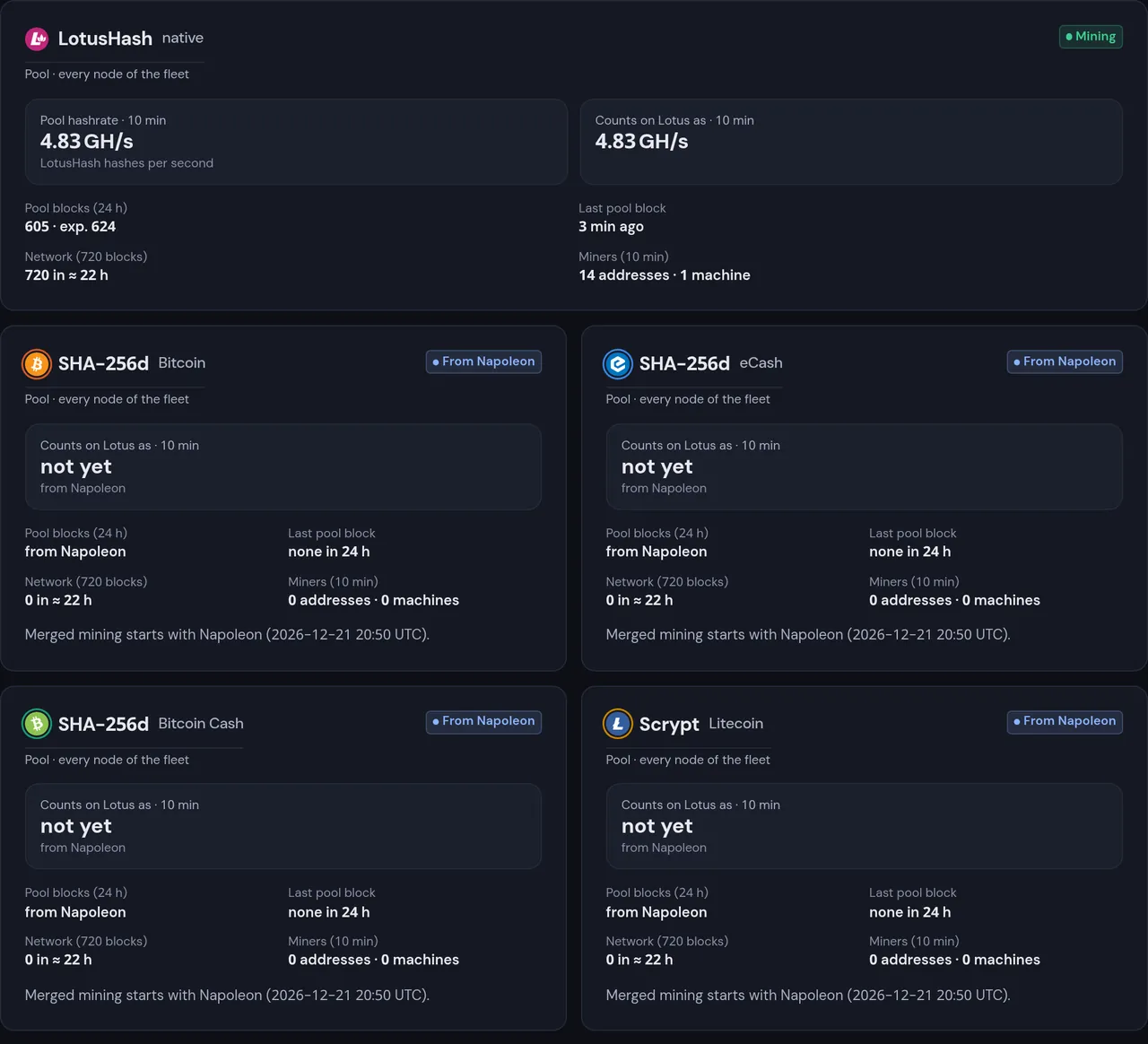
Screenshot: The mainnet pool already has a card for each lane.
The mainnet pool already has a card for each lane.

Running a node?

Every node must run lotusd 12.5.1 or later before Napoleon, on 21 December 2026 at 20:50 UTC.

Upgrade guide Releases